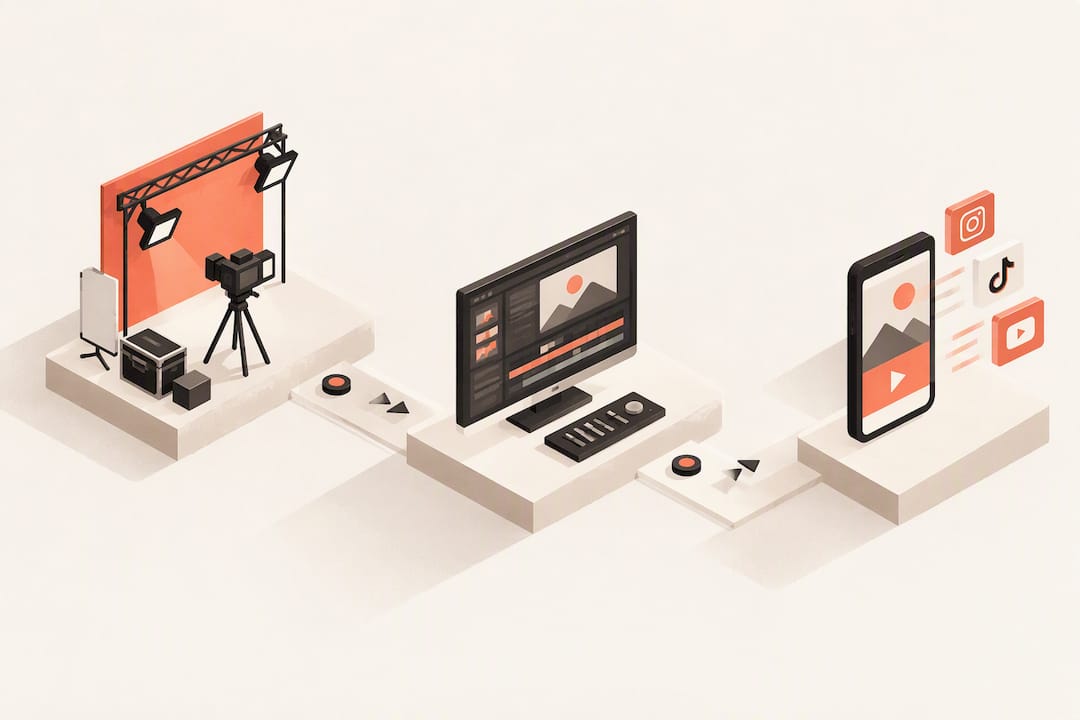
An event highlight video is a short, edited compilation that captures an event's energy, key speakers, and core messages for promotion or recap. Organizers use it to market next year's event, prove ROI to sponsors, or give leadership a fast recap. A social cut usually runs under a minute, while a stakeholder version stretches to two or three.
TL;DR:
- Videos under one minute generate the highest engagement, with a 50% average, making short social cuts the most effective for capturing attention.
- A clear plan with a storyboard and detailed shot list, finalized days before the event, prevents gaps and ensures footage supports the intended narrative.
- Reliable audio recording from the venue's soundboard and extra batteries or memory cards are critical to avoid common technical failures during live shoots.
- Edits should use fast-paced, rhythmic cuts aligned with platform standards, with captions added to reach viewers who watch without sound.
- Deliver a social media-friendly 48-hour cut and a longer, 2-4 minute recap for stakeholders to balance quick release with in-depth storytelling.
Table of Contents
- What goes into an event highlight video and its main formats
- How long should an event highlight video run
- Planning before the event: storyboard, shot list, and asset map
- On-the-day production checklist for cameras, audio, and lighting
- Editing and pacing that keep viewers watching
- Delivery formats, specs, and getting the video in front of people
- How JettLife Productions approaches event video production
- Why the story matters more than the highlight reel
- How JettLife Productions can help with your next event video
- Sources
- FAQ
What goes into an event highlight video and its main formats
Not every highlight video does the same job, and mixing up the formats is the fastest way to disappoint whoever is watching. A social cut is built for speed and scroll-stopping energy. A sizzle reel leans into spectacle, often for future attendee recruitment. A narrative recap slows down to tell a fuller story for sponsors, leadership, or an internal archive.
Whichever format you choose, certain shots show up across almost every strong edit. Skip one and the video feels thin, no matter how good the individual clips are.
- Opening hook: a high-energy moment, crowd reaction, or reveal in the first three seconds, never a slow logo animation.
- Keynote excerpts: short, punchy soundbites from speakers rather than full segments.
- Audience reactions: laughter, applause, and candid moments that prove people were engaged.
- B-roll: venue details, signage, food, networking shots, and transitions that give the edit texture.
- Calls to action: a closing frame or voiceover pointing viewers to register, follow, or visit a link.
Many organizers shoot once and cut multiple times. A single day of footage can become a 30-second teaser for social, a 90-second recap for the website, and a 3-minute narrative piece for a sponsor deck. Planning for that upfront, rather than deciding after the event, saves reshoots and keeps the editor from scrambling to fill gaps.
How long should an event highlight video run
Runtime is not a matter of taste. It tracks directly with where the video lives and what it needs to do. Wistia's 2025 State of Video Report found that videos under one minute had the highest average engagement rate at 50%, while videos between one and three minutes averaged 46%.

Videos under one minute average 50% engagement, the highest of any length tracked, according to Wistia's 2025 data, which means a tight social cut is not just easier to make, it tends to hold attention better too.
That does not mean longer recaps are wasted effort. A 1 to 3 minute version still performs well and gives sponsors, board members, or a marketing team enough substance to justify a slower pace and fuller story. The risk shows up past the 3-minute mark, where drop-off accelerates and only the most invested viewers, usually internal stakeholders, stay through the end.
A practical rule: put your strongest hook and your call to action inside the first and last 10 seconds regardless of total length. Viewers decide whether to keep watching almost immediately, and they remember whatever comes right before the video ends.
Planning before the event: storyboard, shot list, and asset map
The biggest editing problems trace back to a missing plan, not a missing skill. Industry practitioners recommend pre-storyboarding critical moments so editors receive footage that supports a narrative rather than a pile of disconnected clips. That planning happens days before the event, not during it.
- Define the goal and audience for the video: promotion, sponsor reporting, or internal recap each calls for a different tone and length.
- Map three narrative beats: an opening hook, a middle section showing the event's core value, and a closing moment that reinforces the takeaway or CTA.
- Build a time-coded shot list tied to the event agenda, noting exactly when keynotes, breakout sessions, and networking blocks happen.
- Assign camera roles so one operator covers wide crowd shots while another chases close-up reactions and speaker details.
- Confirm permissions, releases, and music licensing before the event, not after footage is already cut together.
On that last point, releases matter more than most organizers expect. Attendees photographed or filmed in a public session generally have lower expectations of privacy, but a signed release protects you if the footage appears in paid advertising. Music licensing deserves the same attention: Creative Commons explains when tracks can be used without a paid license and when attribution is required, and skipping that check is one of the most common reasons a finished video gets pulled from a platform after the fact.
Pro Tip: Print the shot list and hand a physical copy to every camera operator. Phones die, apps crash, and a laminated page never does.
On-the-day production checklist for cameras, audio, and lighting
Good planning still needs to survive contact with a live event. A workable setup pairs a primary camera on a tripod for wide, stable shots with a secondary handheld or gimbal-mounted camera for candid, moving coverage. A standard zoom lens covers the primary position, while a wider lens on the second camera helps in tight rooms or crowded floors.
- Primary camera: locked-down wide shot of the stage or main action, ideally on a tripod with a clean sightline.
- Secondary camera: handheld or gimbal for reaction shots, walk-and-talks, and candid B-roll.
- Audio: a lavalier or handheld mic on every speaker, plus a backup recorder in case the main feed fails.
- Lighting: bounce or fill light for interior sessions, and a fast lens or on-camera light for low-light rooms like dinners or evening receptions.
- Staffing: at minimum one shooter dedicated to wide coverage and one dedicated to close, reaction-driven footage.
Audio failures ruin more highlight videos than bad framing does. Relying on a camera's built-in mic across a large room almost guarantees muddy, echoing sound, especially with a PA system running. Pull audio directly from the venue's soundboard whenever possible, and always run a second recorder as a backup. A dead battery or a dropped connection should never mean losing the only recording of a keynote.
Low light is the other recurring problem, particularly at evening events, galas, or venues with dim ambient lighting. A camera with a fast lens (f/1.8 or wider) handles these situations far better than a kit lens, and a small on-camera LED light can rescue a shot that would otherwise be unusable.

Pro Tip: Bring twice the batteries and memory cards you think you need. Multi-day conferences chew through both faster than anyone estimates.
Editing and pacing that keep viewers watching
The edit is where most of the emotional impact gets made or lost. PlayPlay's editorial guidance recommends a rhythmic approach: combine tight cuts of one to three seconds with pacing that cuts to the beat of the music, which keeps momentum high and prevents any single moment from overstaying its welcome.
- Hook fast: the first three seconds need the highest-energy clip in the entire video, not a slow build.
- Match cut length to platform: social cuts favor rapid one to three second clips, while recap videos can hold shots slightly longer to let dialogue breathe.
- Choose music deliberately: Creative Commons explains when a track requires attribution and when it can be used freely, which matters before you publish anywhere public.
- Caption everything: most viewers watch with sound off first, especially on social platforms, so burned-in captions are not optional.
Wistia's 2025 report found that 41% of brands now use AI tools somewhere in their video production process, a figure that more than doubled year over year. That shift shows up most in pre-production and rough-cut work: AI-assisted transcript review and clip selection let editors find the best 20 seconds out of two hours of footage far faster than scrubbing manually, which is part of why fast turnarounds are increasingly realistic even for smaller teams.
Wistia's own guide to highlight reels backs this up, noting that most highlight reels run one to three minutes and recommending that editors use transcripts or AI tools to locate the strongest soundbites before cutting anything together. The tool matters less than the discipline: know your best ten moments before you open the editing software, not after.
Delivery formats, specs, and getting the video in front of people
A great edit still needs the right export settings and a distribution plan or it sits unwatched. Vertical 9:16 video is the standard for Instagram Reels, TikTok, and Stories, while square 1:1 or horizontal 16:9 still performs better for LinkedIn feeds, YouTube, and embedded website players. Export at 1080p minimum, with 4K increasingly standard for anything that might get repurposed into a paid ad later.
- Publish a 48-hour social cut first, vertical, under a minute, captioned, and posted while the event is still fresh in attendees' minds.
- Deliver a 5 to 10 day recap for stakeholders, running 2 to 4 minutes with fuller narrative context and sponsor acknowledgments.
- Repurpose both cuts into paid social ads, email newsletter embeds, website landing pages, and an archive copy for next year's promotional materials.
This tiered approach solves a real tension: social platforms reward speed, but a polished stakeholder recap takes longer to do well. Splitting the timeline means you never sacrifice one for the other. The 48-hour cut captures momentum while people are still talking about the event online, and the longer recap gets the extra editing hours it deserves without holding up the piece that actually needed to move fast.
How JettLife Productions approaches event video production
Every comprehensive event video starts from a storyboard, mapping the three narrative beats and a time-coded shot list before filming begins. That groundwork is what separates a highlight reel that feels intentional from one that feels like a random clip dump, and it is the same discipline this guide has walked through section by section.
Treating footage as a story to tell, not just moments to capture, changes what a camera operator looks for on the day and what an editor keeps in the final cut.
A common industry turnaround is around 10 business days for delivery on photos and videos, covering both polished recaps and social-ready cuts pulled from the same shoot. For organizers weighing whether to handle capture in-house or bring in a crew, that fixed delivery window is worth factoring into any event timeline, especially when a sponsor deck or board meeting has a hard deadline attached.
Why the story matters more than the highlight reel
The technical checklist, cameras, audio, pacing, matters, but it is in service of something simpler: a highlight video works when it makes someone feel like they were there, or wish they had been. A reel that just strings together the loudest moments in chronological order rarely does that. One built around a beginning, a turning point, and a payoff almost always does, even with the exact same raw footage.
Organizers chasing sponsorship renewals or measurable ROI from an event video should treat the edit as seriously as the keynote speaker lineup. When the stakes are real money or a real relationship, that is usually the moment to bring in a professional rather than assign it to whoever on staff owns a camera.
— DJ
How JettLife Productions can help with your next event video
JettLife Productions handles event videography from planning call through final delivery, including the storyboard and shot list work this guide recommends, so you show up to your event with a plan instead of a wish list. Packages cover single-camera and multi-camera coverage, with both social-ready cuts and a longer stakeholder recap pulled from the same shoot.
After booking, a planning call helps map three narrative beats, build a shot list around the event agenda, and generally supports a timely turnaround for photos and videos. If you need combined photo and video coverage for a conference, gala, or multi-day event, start with event videography to see deliverables and book your date.
Sources
This guide draws on Wistia's 2025 State of Video Report for engagement and AI adoption figures, Wistia's highlight reel guide for length and editing benchmarks, PlayPlay's editorial guidance for pacing technique, and Creative Commons for music licensing rules. Each source informed a specific, checkable recommendation above rather than a general claim.
- Wistia's 2025 State of Video Report Shows Use of AI in Video Production More than Doubled Over Last Year
- How to Make Video Highlight Reels From Your Recordings | Wistia
- Event recap video editorial guidance — PlayPlay blog
- Using music in videos — Creative Commons
FAQ
What is an event highlight video?
An event highlight video is a short, edited compilation of an event's best moments, built for promotion, recap, or sponsor reporting. It typically blends speaker soundbites, crowd reactions, and B-roll into a single, fast-paced piece.
How long is an event highlight video?
Most highlight reels run one to three minutes, though social cuts trend shorter. Videos under one minute see the highest average engagement at 50%, according to Wistia's 2025 data, while 1 to 3 minute videos average 46%.
How do I make an event recap video in a few steps?
Start with a storyboard and time-coded shot list before the event, capture your opening hook, key speaker moments, and audience reactions on the day, then edit with tight cuts, licensed music, and captions. Deliver a fast social cut first, followed by a longer recap for stakeholders.
What is a highlight video?
A highlight video is any short edit built from longer footage to showcase the best or most important moments, whether from an event, a game, or a marketing shoot. In an event context, it usually serves promotional or recap purposes rather than full documentation.